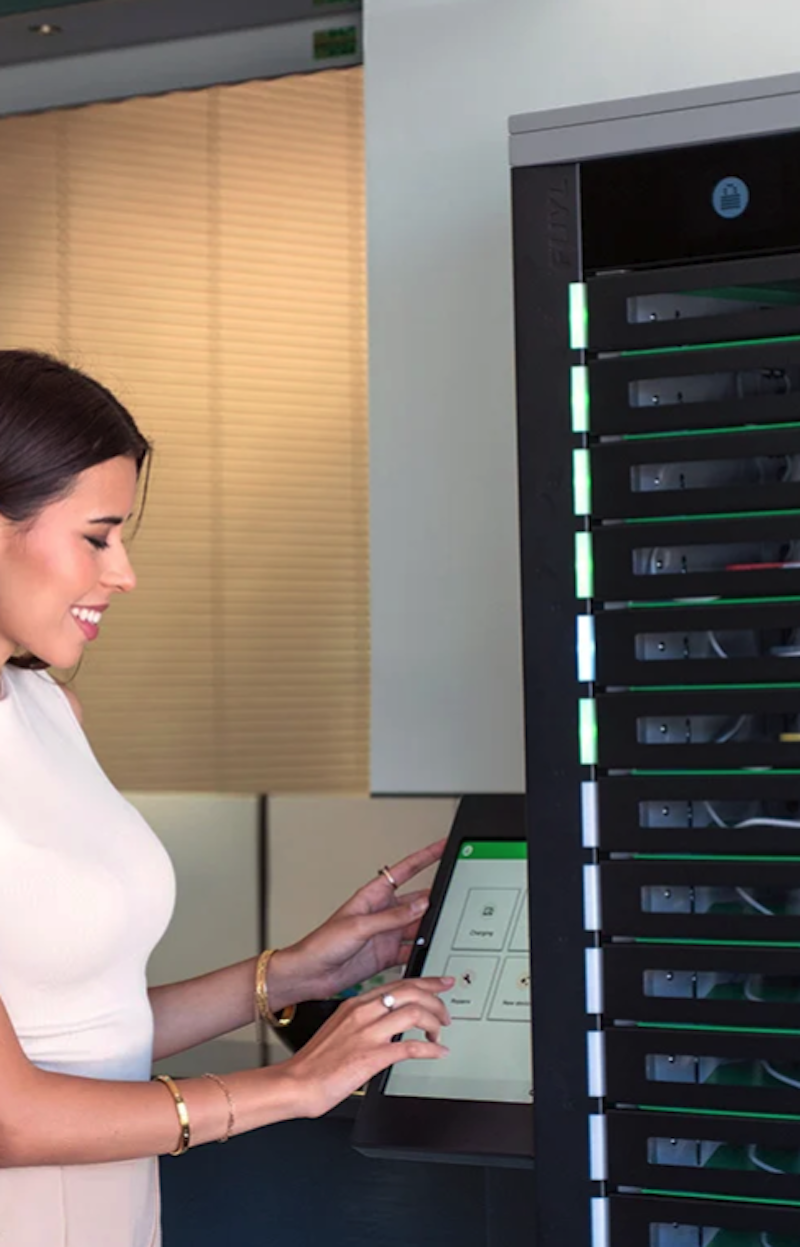
IT teams are moving device handoffs out of email threads, help desk queues, and storage rooms. A laptop loan, charger pickup, broken-device swap, or new-hire deployment can now happen through a controlled smart locker workflow instead of a manual exchange.
That shift has created a crowded category. Some smart locker solutions are built specifically for IT asset workflows. Others started as parcel lockers, access-control cabinets, key cabinets, or general storage systems and have been adapted for device access.
The distinction matters because the value is not only in the door lock. It is in the software, integrations, audit trail, and remote management layer behind it.
This guide compares the main categories of smart locker platforms for organizations building a 2026 shortlist.
What is a Smart Locker Solution?
A smart locker solution combines connected hardware with software that controls who can open a compartment, what they are allowed to collect or return, and how that transaction is recorded.
For device management, the core workflow is straightforward. A user authenticates at the locker using an approved access method, such as a badge, PIN, mobile credential, or single sign-on login.
The system opens a bay assigned to that user or workflow. The device is picked up, returned, charged, or routed for repair. The transaction is logged automatically.
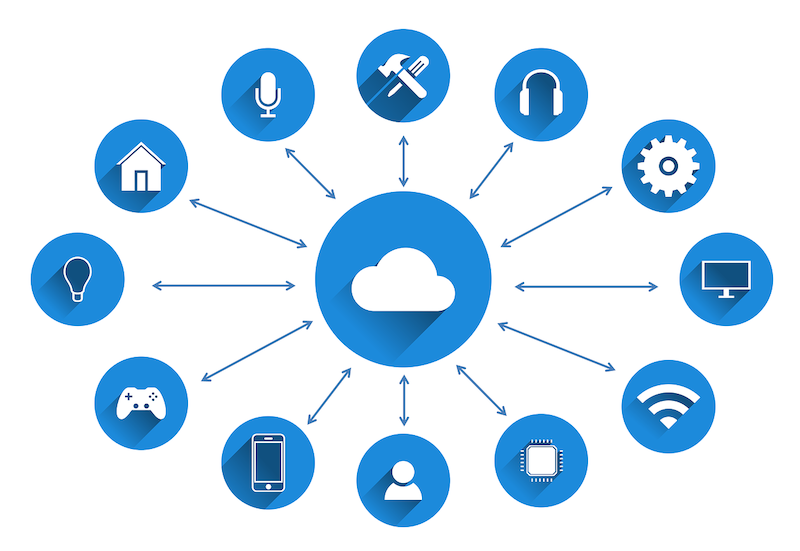
The connected-software layer is what separates a smart locker from a storage cabinet. Buyers should expect four functional components:
Access Control
The system should confirm that the right user is accessing the right device at the right time. Access methods may include employee badges, student IDs, PINs, mobile credentials, QR codes, or SSO-connected accounts.
Workflow Engine
The workflow engine determines what happens next. A loaner checkout, repair drop-off, new-hire deployment, and device return should not be treated as identical events. Each workflow needs its own permissions, notifications, timing rules, and reporting logic.
Reporting Portal
Administrators need visibility into bay usage, overdue returns, device availability, transaction logs, and user activity. Without reporting, the locker becomes a physical access point rather than a managed device system.
Integrations
For IT use cases, integrations matter. A locker may need to connect with IT service management tools, identity providers, mobile device management systems, asset platforms, or HR systems.
CIO’s overview of IT asset management emphasizes that ITAM depends on tracking, maintaining, and optimizing company-owned hardware, software, systems, and data across their lifecycle.
Key Features to Look for in 2026
The best smart locker solutions in 2026 should be evaluated on workflow depth, not hardware alone. A metal cabinet with electronic locks may secure a device, but it does not automatically solve the operational problem that brought the buyer to the category.
When comparing smart locker solutions, IT teams should focus on the features that determine whether the system can replace manual device management rather than simply store assets.
Automated Device Workflows
A locker should support common IT events such as loaner checkout, break/fix exchange, repair intake, device return, deployment, and charger access. Each event should trigger the right sequence of access, logging, notifications, and administrative visibility.
Remote Management
IT teams should be able to view locker status, assign bays, change permissions, check activity logs, and respond to exceptions without standing in front of the unit.
ITSM, SSO, and MDM Integrations
A device access locker becomes more useful when it is connected to the systems IT already uses. ITSM integration can connect locker activity to tickets. SSO can reduce account-management overhead. MDM or asset-system integration can help align physical handoffs with device status.
Audit Trails
Every pickup, return, overdue loan, failed access attempt, and bay opening should be time-stamped and tied to a user identity. TechRepublic notes that IT asset management software is used to increase visibility into IT assets and support risk reduction, cost optimization, and compliance.
24/7 Availability
The more distributed the organization, the less useful a staffed handoff desk becomes. Smart lockers can extend device access beyond normal desk hours without giving up control.
Certifications and Security Posture
Buyers should review relevant certifications, data-handling practices, access logs, software hosting, and administrative controls. For enterprise or education environments, the security model is part of the procurement decision.
Best Smart Locker Solutions for IT Teams
There is no single “best” platform for every organization. The right choice depends on whether the locker is being used as IT infrastructure, package infrastructure, access-control hardware, or general equipment storage.
1. Purpose-Built Device Handoff Systems
Purpose-built device handoff systems are the strongest fit for IT teams that need workflow automation. These platforms are designed around device loans, repair swaps, return workflows, deployments, and charging.
The main advantage is that the software understands the device lifecycle. A user checking out a temporary laptop, returning a broken tablet, or collecting an assigned device is not simply opening a door. Each action can be tied to an identity, a policy, a device status, and an audit trail.
This category is the recommended starting point for IT-specific device management because it addresses the full handoff process. Buyers evaluating ForwardPass and similar IT-focused platforms should compare workflow depth, integration options, reporting, access methods, and certification posture before looking at hardware aesthetics.
Best fit: corporate IT teams, universities, K–12 districts, warehouses, healthcare teams, and organizations that manage shared or loaner devices at scale.
Limitations: typically more structured than general-purpose lockers, which may be more than a small team needs for basic storage.
2. Package-Focused Locker Systems
Package lockers were designed for delivery and pickup workflows. They are effective for parcels, mailrooms, campuses, and residential buildings where the main use case is “item arrives, recipient collects item.”
These systems can sometimes be adapted for IT assets, particularly for new-hire pickups or one-way drop-offs. However, the workflow may be less suited to recurring device loans, returns, repairs, and charging.
Best fit: organizations with mailroom-led distribution or simple equipment pickup needs.
Limitations: weaker fit for IT teams needing device assignment rules, repair workflows, or ITSM-connected audit trails.
3. Legacy Key Cabinets
Key cabinets solve a narrow but familiar problem: controlling access to physical keys. Some organizations use them for equipment rooms, vehicle keys, or shared assets.
For device access, the limitation is that a key cabinet often manages access to a key rather than the device transaction itself. This creates a second step. Someone still has to track the laptop, tablet, scanner, or radio after the key is removed.
Best fit: facilities teams managing keys or low-complexity physical access.
Limitations: indirect accountability for IT devices and limited workflow automation.
4. Access-Only Lockers
Access-control lockers secure compartments and record door openings. They are often adequate when the goal is controlled storage.
For device management, access-only systems can miss important workflow details. They may not distinguish between a loaner checkout, a repair return, and a device deployment. They may also lack integrations with identity systems, ITSM tools, or asset platforms.
Best fit: environments that need secure storage with basic logs.
Limitations: limited automation, limited IT context, and fewer workflow controls.
5. General-Purpose Smart Locker Systems
General-purpose lockers cover a broad range of uses, from employee storage to retail pickup. Market research from Mordor Intelligence classifies automated smart locker systems across end-user industries including retail and e-commerce, residential, corporate campuses, logistics hubs, and education facilities, with software and platform services identified as a component category.
These platforms can be valuable when the organization needs one locker estate for many use cases. The tradeoff is that IT-specific workflows may require customization or manual workarounds.
Best fit: facilities-led deployments with mixed storage needs.
Limitations: may not provide the depth of IT workflow automation required for complex device programs.
Use Cases Where Smart Lockers Deliver the Most Value
Corporate Offices
Hybrid teams often need loaner laptops, chargers, accessories, and break/fix swaps outside normal support windows. A shared device locker office setup can reduce the friction of contacting IT for every routine handoff.
Universities
Campus IT and libraries often manage student loaner device programs with fixed service desk hours. Smart lockers can extend access to evenings, weekends, and distributed campus locations while preserving an audit trail.
K–12 Schools
Chromebook and tablet fleets create daily operational pressure. A locker system can support loaner access, classroom swaps, repair intake, and device charging without placing every transaction on teachers or IT staff.
Warehouses
Distribution centers rely on shared handheld scanners, radios, and rugged devices. A locker can support shift-based access, charging, and chain-of-custody reporting for equipment that has to be ready at the start of each shift.
How to Choose the Right Solution for Your Organization
A smart locker buying guide should begin with the workflow, not the cabinet.
First, identify the primary use case. A new-hire device pickup program has different requirements than a 24/7 university loaner program or a warehouse scanner checkout process.
Second, define the level of automation needed. If staff still have to assign every bay manually, log every return, and chase every overdue loan, the locker may reduce storage risk without reducing work.
Third, map the required integrations. ITSM, identity management, MDM, HR, and asset platforms should be considered early, because integration gaps are harder to fix after deployment.
Fourth, size the fleet and locations. The system should support the number of devices, users, bays, buildings, and sites likely to be added over the next several years.
Finally, review security and certification requirements. Access logs, administrative permissions, hosting model, support practices, and audit readiness should be part of procurement due diligence.
Conclusion
Smart locker solutions are becoming part of the operational infrastructure behind device access. The strongest platforms do more than lock compartments. They automate pickup, return, charging, repair intake, reporting, and accountability.
For IT teams, the best starting point is the purpose-built device handoff category because it is designed around the workflows that create the most manual work.
Package lockers, key cabinets, access-only lockers, and general-purpose systems may fit narrower use cases. The right decision depends on workflow depth, integration needs, scale, and the level of auditability the organization requires.
