Most small shops I walk into have a robot arm, a CNC cell, or a sensor array doing real work, and a bookkeeper in the back office still retyping job numbers into a paper invoice at 6 p.m. Two halves of the same business that never speak to each other.
That gap costs you more than you think. A finished install sits in limbo until someone remembers to bill it, and every idle day is working capital you already spent on parts and labor. Getting paid faster starts with treating billing as part of your operations layer, not as paperwork that trails behind it. If you run a field crew or a service bench, part of the fix is simply picking better invoicing software that can fire a bill from a phone the moment the job closes.
Here’s the promise: by the end of this piece you’ll know how to wire your completed work directly to your cash flow, which signals matter, and where the whole thing breaks if you let it. Call it the close-the-loop model. Work finishes, a bill goes out, money comes in, and nobody has to be the human reminder in the middle.
Where the money actually leaks between machine and payment
The leak has a shape. It’s not one dramatic failure. It’s a hundred small delays. A technician finishes a repair at 3 p.m. and means to write it up later. A project manager marks a job complete but the billing trigger lives in a spreadsheet someone updates on Fridays. A customer disputes a line item because your handwritten note didn’t match what they were quoted.
Add those up and you’re floating your own customers a loan you never agreed to. That’s a real cost on a balance sheet, and it’s boring enough that most owners ignore it because the money does eventually arrive.
Compare that with a shop that closes the loop. Equipment signals completion, a pre-approved rate card generates the invoice, the customer gets it by text before they leave the site, and payment lands in days instead of weeks. Same work, wildly different cash position.
A framework for deciding what to automate first
Trying to automate everything at once is how you blow a quarter’s budget on integrations nobody uses. Instead, sort your billing triggers into three buckets and do them in order.
- Tier one, high frequency and high value. Recurring service contracts, standard part shipments, routine maintenance visits. These repeat constantly and the amounts are predictable, so automation pays for itself fast.
- Tier two, low frequency but high value. Custom fabrication runs, one-off installations, project milestones. Worth wiring up, but design the exception handling first.
- Tier three, everything else. One-off favors, oddball jobs, anything that needs a human eye. Leave these manual and stop feeling guilty about it.
My opinion: most operators should live in tier one for at least a full quarter before they touch tier two. You’ll learn the edge cases on small money and avoid an ugly surprise on a six-figure contract.
What the automation stack looks like in practice
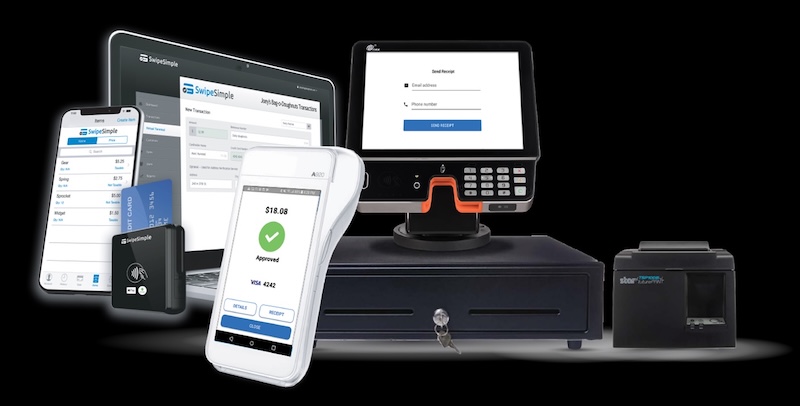
The pieces aren’t exotic. Data from your machines or job-tracking app feeds an invoice trigger. That trigger hits a pre-filled template with a rate card attached. The bill goes out by email or text. Payment status syncs back so nobody has to reconcile three systems by hand.
Where people get stuck is the handoff between operations data and billing data. Your CNC cell speaks one language, your bookkeeping speaks another, and the translation layer is usually a tired manager. The fix is to agree on job identifiers up front. If the job number on the floor matches the customer reference in your billing tool, automation actually works. If it doesn’t, you’ve built a machine that produces mismatched invoices at high speed.
Why cash flow timing matters more than labor savings
Owners obsess over labor savings from automation and ignore the quieter dividend. Bill the same day instead of the next week and you’re pulling cash forward that normally sits in accounts receivable.
Small construction firms and shops are a huge part of the economy, and nearly all of them operate as small employers with thin cash buffers. According to Census Bureau baseline data on business size and formation, the overwhelming majority of American companies have fewer than 20 employees. Thin staffing means every hour spent chasing paperwork is an hour not spent selling or building. Timing, not headcount, is what keeps these firms alive.
Three questions to ask a billing vendor before you sign
Not every tool fits everyone. Ask these and listen for straight answers.
Does the tool send invoices by text as well as email? Your field techs are already on their phones, and customers answer a text faster than an inbox. Does payment status sync back to your bookkeeping without a manual export? You want the loop closed, not half-closed. Can a customer pay from the invoice itself with one click?
If a vendor dodges any of those, keep moving. The National Institute of Standards and Technology has spent years documenting how data moves between automated production systems, and every integration gap you tolerate in billing adds cost the same way it does on the factory floor.
Where human judgment still earns its place
Automation shouldn’t run unguarded. Line item disputes are a real thing, and a fully automatic bill sent to a frustrated customer pours gasoline on a small problem. Keep a human review step for any invoice above a threshold you set.
Also watch the mistake everyone makes with a new billing tool: turning it on for customers who weren’t told. Warn your accounts first. Give them the new payment links a few weeks ahead. A customer who gets a surprise text demanding payment from an unfamiliar number will call your office angry, and you’ll lose the trust that automation was supposed to protect.
The mistake that costs you on a six-figure job
Here’s a scenario I’ve heard twice this year. A shop wires up automatic billing for service calls and it works beautifully for months. Then a custom job lands, the tech marks it complete, and an invoice goes out before the client has signed off on a change order. The client disputes the whole bill. Now the relationship is strained and finance is manually unwinding an automated mistake.
The fix is old-fashioned: automate the routine, gate the exception. Change-order language and signature capture belong in your workflow before the invoice trigger, not after. Automation rewards the operator who plans for how things go wrong, and punishes the one who assumes they won’t.
Start with one workflow tomorrow
You don’t need a project team or a systems integrator. Pick the single billing trigger that fires most often, wire it to a templated invoice, test it with two friendly clients, and watch the timing. That one workflow will teach you more about your cash flow than a year of dashboards.
Your machines already do what you tell them. Your billing should too. Which billing trigger in your operation is still waiting on a person to remember it, and how much of your own money is sitting on the other side of that delay?
