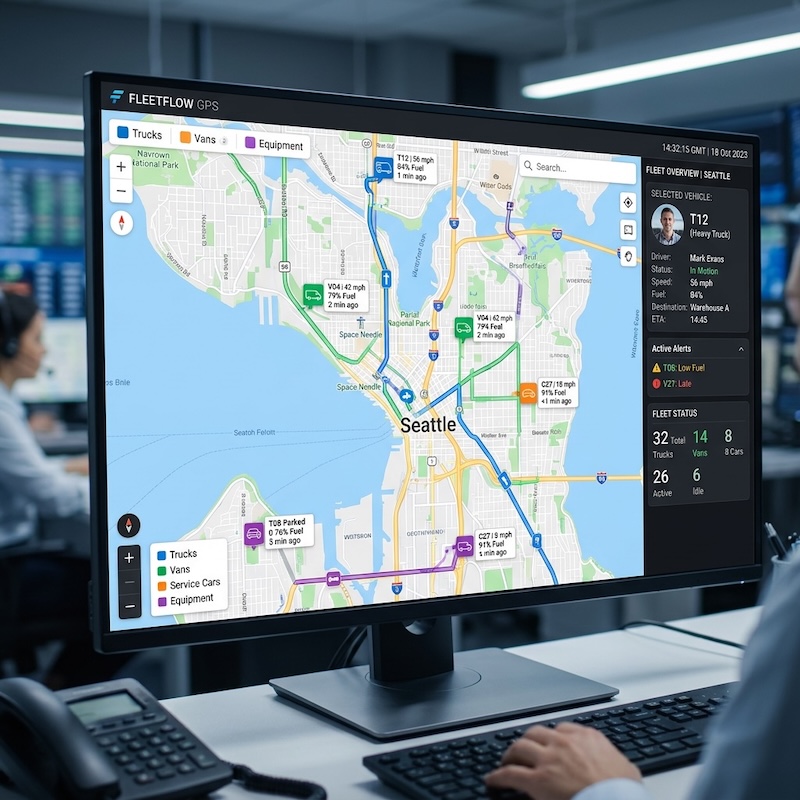
The best field crew time tracking apps with location verification in 2026 are Workyard, QuickBooks Time, BuddyPunch, Buildertrend, and Jibble.
- Workyard ($6-13/user/month + base fee) is the strongest option for construction teams that need precise GPS verification and labor cost control.
- QuickBooks Time ($8/user/month + base fee) excels at photo verification and payroll syncing for QuickBooks users.
- BuddyPunch ($5.49/user/month + base fee) offers route playback and flexible clock-in methods.
- Buildertrend provides time tracking inside a full construction project management system with custom pricing, while Jibble delivers a low-cost, geo-verified clock-in solution with a free plan.
Most tools fall between $3 and $15+ per user per month.
Why Field Crews Need Location-Verified Time Tracking
Construction and field service teams rarely stay in one place. Crews move between jobsites, travel long distances, and often work in areas with unreliable cellular coverage. When time is tracked manually – or without location verification – errors become common. These inaccuracies inflate payroll, create disputes, and reduce visibility into true labor costs.
Location-verified time tracking addresses these issues by linking work hours to real GPS data. These systems confirm that clock-ins occur at approved jobsites, automatically capture travel time, and create audit-ready records. For contractors, this accuracy is essential for payroll compliance, billing, and job costing.
This guide reviews five field-ready time tracking apps that offer varying levels of GPS verification, offline reliability, and construction-specific workflows.
How These Apps Were Evaluated
Each platform was reviewed using criteria relevant to mobile and construction crews:
- GPS accuracy and background tracking reliability
- Geofencing quality and clock-in enforcement
- Anti–time theft tools such as photo or biometric verification
- Mileage and travel-time capture
- Offline performance with reliable data syncing
- Payroll, accounting, or job-costing integrations
- Ease of use for field workers and supervisors
- Pricing transparency and trial availability
Based on these factors, Workyard earned the top ranking for construction-focused accuracy and automation.
1. Workyard
What is Workyard?
Workyard is a construction-first GPS time tracking and job costing platform built for crews that move between multiple jobsites each day.
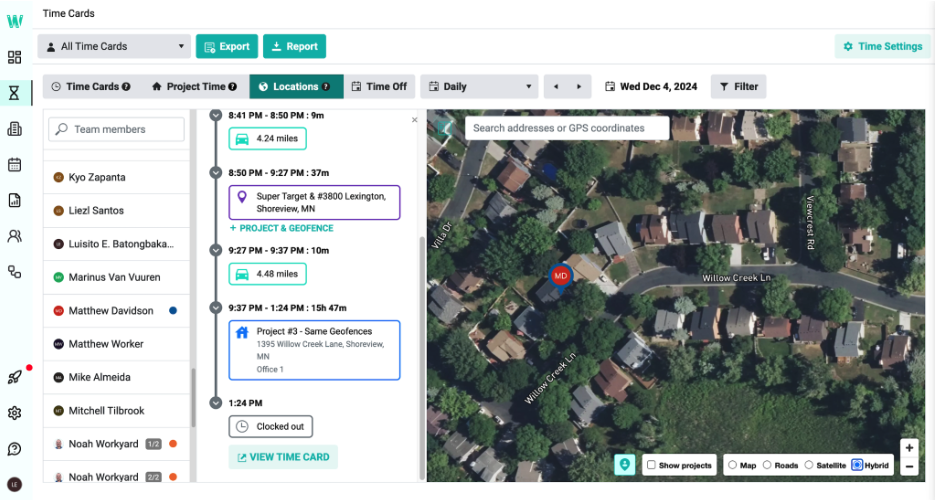
It records exact clock-in and clock-out locations using high-accuracy GPS breadcrumb trails, even when employees work offline or in low-signal areas.
The system automatically captures travel time and mileage, records precise arrival and departure times, and assigns hours to the correct project and cost code.
While geofences can be used for reminders or restrictions, Workyard relies on continuous GPS tracking rather than simple geofence triggers to ensure accuracy.
Key features
- High-precision GPS breadcrumb trails with route playback
- Automatic travel-time and mileage logging
- Polygon geofencing with customizable clock-in rules
- Job and cost-code assignment based on location
- Live crew mapping and basic scheduling
- Labor cost analysis and detailed audit trails
- Payroll and accounting integrations, including QuickBooks
- Offline tracking with photo attachments and manager controls
Pricing
- Starter: $6/user/month + $50 company base fee
- Pro: $13/user/month + $50 company base fee
- 14-day free trial (no credit card required)
Pros
- Extremely accurate GPS verification tied to real jobsite presence
- Automatic travel and mileage capture reduces admin work
- Strong payroll syncing and labor-cost visibility
Cons
- Base fee may be costly for very small teams
- Initial setup requires configuration of jobsites and cost codes
- Continuous GPS tracking requires employee transparency
Best use case
Workyard is ideal for construction and field service companies that need exact, verifiable GPS timestamps for payroll, billing, and labor-cost control across multiple active jobsites.
2. QuickBooks Time
What is QuickBooks Time?
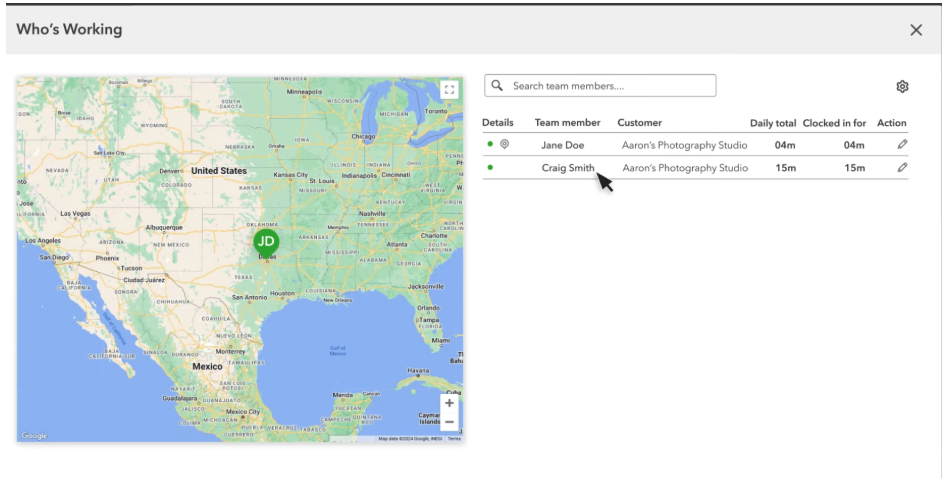
QuickBooks Time (formerly TSheets) is a mature workforce time tracking solution offering mobile, web, and kiosk clock-ins. It includes GPS reminders, geofencing, photo verification, and native integration with QuickBooks Payroll and QuickBooks Online.
It is particularly well suited to companies already using QuickBooks that want dependable time tracking with minimal payroll friction.
Key features
- Mobile, web, and kiosk time clocks
- GPS reminders and geofencing
- Photo clock-in verification to prevent buddy punching
- Job-based scheduling and shift planning
- Custom reports, alerts, and project costing
- Timesheet approvals and signatures
- Native QuickBooks payroll integrations
Pricing
- Premium: $8/user/month + $10 base fee
- Elite: $10/user/month + $20 base fee
- 30-day free trial
Pros
- Excellent payroll integration for QuickBooks users
- Multiple clock-in methods and verification tools
- Strong scheduling and approval workflows
Cons
- Base and per-user fees can add up
- Construction-specific job costing is less robust than specialized platforms
Best use case
QuickBooks Time works best for businesses that prioritize payroll integration and verification features and are already invested in the QuickBooks ecosystem.
3. BuddyPunch
What is BuddyPunch?
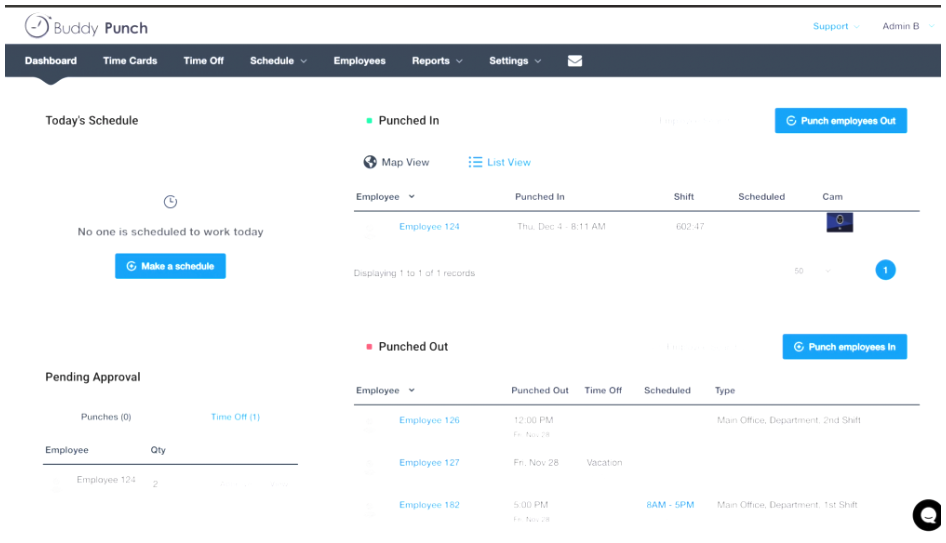
BuddyPunch is a crew-focused time tracking app offering flexible clock-in methods such as PINs, QR codes, passwords, photo capture, and fingerprint verification. It provides both basic GPS stamping and real-time GPS tracking with route playback.
The platform also includes scheduling tools and payroll exports, making it suitable for mobile teams that want route visibility and flexible clocking options.
Key features
- GPS stamping and real-time GPS route playback
- Multiple clock-in methods (PIN, QR, facial recognition, password)
- Drag-and-drop scheduling and group punch
- PTO, overtime rules, and payroll integrations
- Timesheet approvals and manager edits
Pricing
- Starter: $5.49/user/month + $19 base fee
- Pro: $6.99/user/month + $19 base fee
- Enterprise: $11.99/user/month + $19 base fee
- 14-day free trial
Pros
- Strong route playback for travel visibility
- Crew-friendly clock-in flexibility
- Solid payroll export options
Cons
- Real-time GPS depends on connectivity and plan level
- Base fee may be inefficient for very small teams
- Offline GPS tracking is weaker than construction-first tools
Best use case
BuddyPunch is well suited for delivery teams, mobile service providers, and crews that value flexible clock-ins and route-level visibility.
4. Buildertrend
What is Buildertrend?
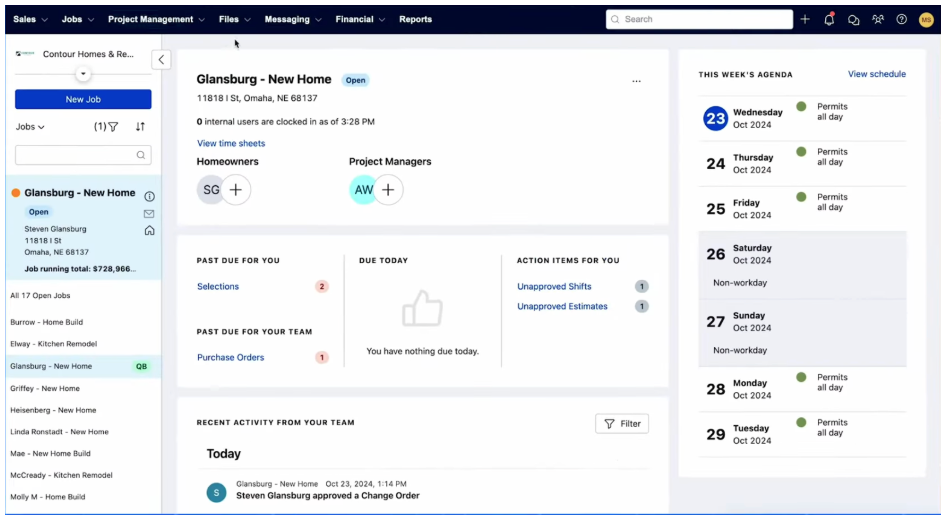
Buildertrend is a full construction project management platform that includes built-in GPS time tracking. It connects crew time directly to job phases, cost codes, schedules, and payroll exports.
Location verification is provided through geofencing and GPS stamping in daily logs rather than continuous breadcrumb tracking.
Key features
- Mobile GPS time clock with geofencing
- Job costing by phase and cost code
- Offline time entry with automatic sync
- Scheduling, change orders, and project management tools
- Payroll export integrations
Pricing
Custom pricing only (demo available, no free trial)
Pros
- Deep integration between time tracking and project management
- Designed specifically for construction workflows
- Offline clocking for jobsites
Cons
- No public pricing; higher cost for small firms
- Steeper learning curve than standalone apps
- GPS focuses on jobsite presence, not route tracking
Best use case
Buildertrend is best for builders and general contractors who want time tracking embedded inside a full project management system.
5. Jibble
What is Jibble?
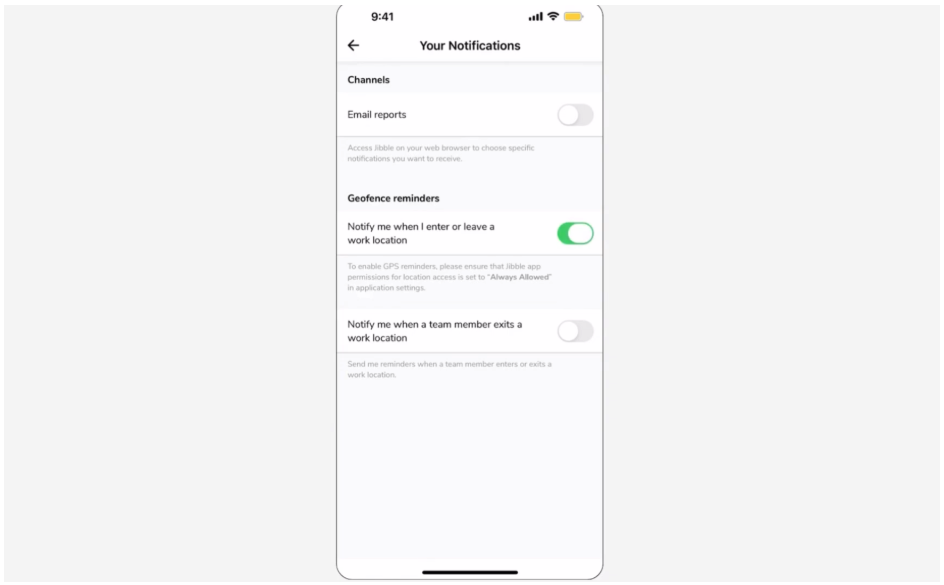
Jibble is a lightweight time tracking app designed for small teams that want affordable, geo-verified clock-ins. It includes GPS geofencing, facial recognition, photo verification, and offline tracking.
Key features
- GPS geofencing and location capture at clock-in
- Facial recognition and photo verification
- Offline time tracking with later sync
- Automated timesheets with PTO and overtime tracking
- Basic approvals and payroll exports
Pricing
- Free plan available
- Premium: $3.49/user/month
- Ultimate: $6.99/user/month
- Enterprise: custom pricing
Pros
- Low-cost plans and free tier
- GPS and biometric verification
- Offline-capable mobile app
Cons
- Limited reporting and automation
- Not designed for construction job costing
- Advanced features require paid upgrades
Best use case
Jibble is ideal for small field teams or startups needing basic GPS verification and identity controls without high costs.
Why Location Verification Matters
Location-verified time tracking helps field crews:
- Prevent off-site clock-ins and time theft
- Improve payroll accuracy and reduce disputes
- Capture travel time and mileage automatically
- Assign labor hours to the correct jobsite
- Generate audit-ready records for billing and compliance
- Improve supervision across distributed crews
What to Look for in a Location-Verified Time Tracking App
The strongest field crew platforms share these capabilities:
- GPS breadcrumb trails or reliable location stamps
- Job and cost-code tagging
- Automatic travel-time capture
- Offline tracking with dependable syncing
- Simple supervisor review and approval workflows
- Payroll or accounting integrations
- Easy-to-use mobile apps for field workers
Conclusion
Among the five platforms reviewed, Workyard delivers the most accurate and construction-focused solution for GPS-verified time tracking and labor cost control.
QuickBooks Time excels at payroll integration, BuddyPunch adds route playback and flexible clock-ins, Buildertrend integrates time tracking into full project management, and Jibble offers an affordable entry point for small teams.
Choosing the right time tracking app can significantly reduce payroll errors, improve compliance, and streamline jobsite management for field crews in 2026.
