Disclosure: Orico supplied the review unit free of charge. We also participate in the Orico affiliate programme. This review is based on our own experience using the product.
When Orico contacted me and asked if I’d like to review its new MiniRaid docking station, I accepted without hesitation. At first glance, it looked exactly like the sort of external storage device I was looking for.
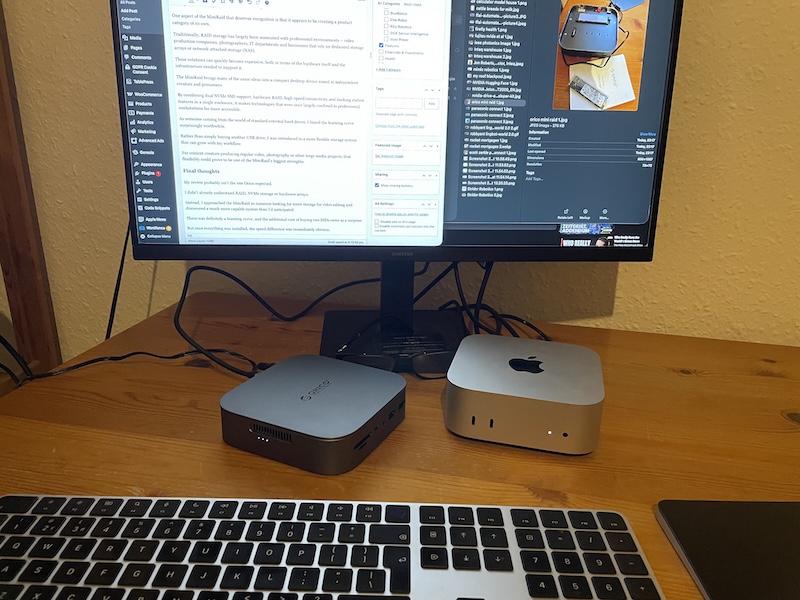
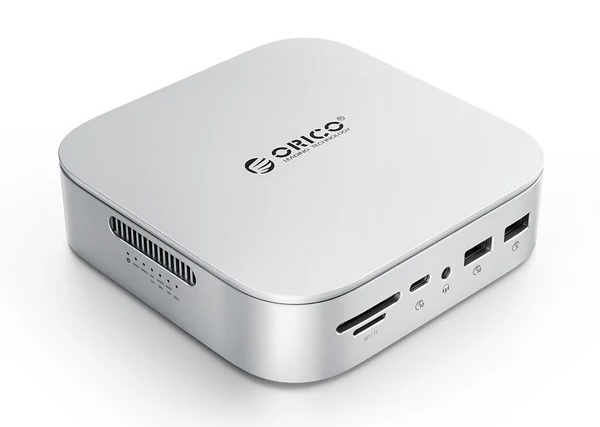
The MiniRaid is a compact aluminium box, roughly the footprint of Apple’s latest Mac mini, although only about half the height. It looks well made, fits neatly beside a Mac, and gives the impression of being a premium product.
I assumed it would work like every external hard drive I’d ever owned. Plug it in, initialise the drive, and start copying files.
I was wrong.
A learning experience
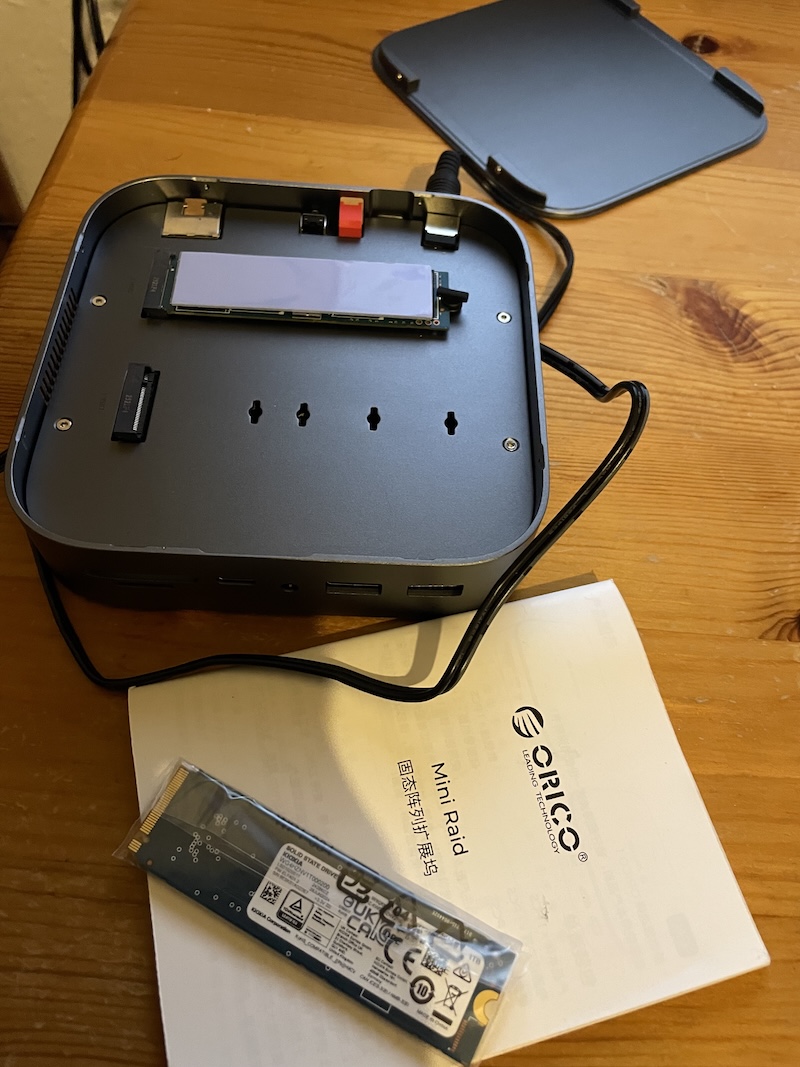
When I connected the MiniRaid for the first time, nothing happened.
After exchanging a few emails with Orico and chatting to a helpful assistant at my local computer shop, I realised I had misunderstood what the product actually is.
The MiniRaid is not an external hard drive.
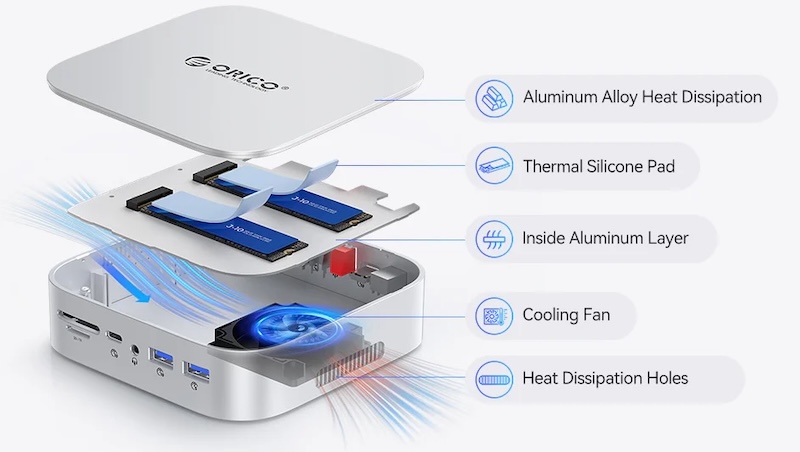
It’s an enclosure designed to house up to two M.2 NVMe SSDs. These are incredibly fast solid-state storage devices that you buy separately and install yourself.
That meant another unexpected expense. I purchased two 1TB NVMe SSDs, installed them following an online tutorial, initialised them using macOS, and finally had the system running. My nervousness about things going wrong was misplaced – the whole process was actually very smooth.
Although I hadn’t expected that extra step, it taught me something I probably should have learned years ago. This isn’t a consumer external drive like a Western Digital Passport. It’s a flexible storage platform aimed at people who want more speed and more control.
Installation
Installing the SSDs turned out to be much easier than I expected.
The MiniRaid is designed without complicated tools or awkward mounting systems. Once the SSDs were installed, macOS recognised them immediately after initialisation.
I decided to keep both drives separate rather than configuring them as a RAID array. In Finder they simply appear as two independent 1TB drives, which I’ve named “Orico RAID 1” and “Orico RAID 2”.
For my own work, this arrangement makes perfect sense because I can dedicate one drive to active projects while using the other for exports or backups.
First impressions
The first thing I noticed wasn’t a benchmark number. It was the absence of waiting.
Dragging folders onto the drives feels almost instantaneous. On traditional external hard drives I’ve owned over the years, copying large files usually brings up a progress bar that sits there for a while.
With the MiniRaid, many files simply appear on the drive before I’ve even had time to look at the copy window.
For photographers this is convenient. For video creators, it’s potentially transformative.
Why I wanted it
For some time I’ve wanted to restart producing regular YouTube videos.
In the past I produced videos frequently, but after moving countries I left several external hard drives behind. My current Mac mini only has a relatively small internal SSD, which quickly becomes restrictive once video editing begins.
Final Cut Pro itself isn’t the problem. The problem is everything that comes with it. Raw footage, music, graphics, render files, exports and backups consume storage at an astonishing rate.
The MiniRaid immediately gives me two additional terabytes of extremely fast storage without replacing my computer.
That’s exactly what I needed.
How it fits into my workflow
If I were producing three or four YouTube videos every week – which is exactly the routine I hope to return to – the MiniRaid would become the centre of my editing workflow.
My plan is straightforward.
I’ll continue running Final Cut Pro from my Mac mini while storing all of my video libraries, project files, footage and exported videos on the MiniRaid.
This keeps the Mac’s internal drive free while allowing me to work with much larger projects than my computer could otherwise accommodate.
One drive can contain current projects.
The second can store completed work, exports and archived footage.
That separation alone makes organising large numbers of videos much easier.
Understanding RAID
Before reviewing this product, I honestly knew very little about RAID. I knew the term, but not what it actually meant.
I’ve since learned that RAID isn’t a type of storage at all. It’s a way of managing multiple drives.
The MiniRaid allows different RAID modes, including RAID 0 for maximum performance and RAID 1 for automatic mirroring, where one drive continuously copies the other for additional protection.
I haven’t yet moved to those configurations because using the two SSDs independently suits my current workflow.
The important point is that the flexibility is there if my needs change.
More than just storage
One aspect that’s easy to overlook is that the MiniRaid isn’t simply an SSD enclosure. It also functions as a docking station.
Alongside the dual M.2 SSD bays, it includes USB ports, HDMI output, Ethernet, SD and microSD card readers, and audio connectivity.
For anyone working with cameras, drones or memory cards, that reduces the number of separate accessories needed on the desk.
It becomes something of a creative workstation rather than simply another external drive.
Is it worth it?
That depends entirely on what kind of user you are.
If all you need is inexpensive storage for family photos and occasional backups, a conventional external hard drive from Western Digital or Seagate will almost certainly be the cheaper option.
However, if you’re editing video, working with large media files, or moving huge amounts of data every day, the MiniRaid occupies a very different category.
It offers significantly greater speed, the flexibility to choose your own SSDs, multiple RAID options, and the convenience of an integrated docking station.
There is a higher initial investment because you need to purchase the NVMe SSDs separately, but that investment buys a level of performance and flexibility that traditional external hard drives simply can’t match.
A step towards professional storage
One aspect of the MiniRaid that deserves recognition is that it appears to be creating a product category of its own.
Traditionally, RAID storage has largely been associated with professional environments – video production companies, photographers, IT departments and businesses that rely on dedicated storage arrays or network-attached storage (NAS).
Those solutions can quickly become expensive, both in terms of the hardware itself and the infrastructure needed to support it.
The MiniRaid brings many of the same ideas into a compact desktop device aimed at independent creators and prosumers.
By combining dual NVMe SSD support, hardware RAID, high-speed connectivity and docking station features in a single enclosure, it makes technologies that were once largely confined to professional workstations far more accessible.
As someone coming from the world of standard external hard drives, I found the learning curve surprisingly worthwhile.
Rather than simply buying another USB drive, I was introduced to a more flexible storage system that can grow with my workflow.
For content creators producing regular video, photography or other large media projects, that flexibility could prove to be one of the MiniRaid’s biggest strengths.
Final thoughts
My review probably isn’t the one Orico expected.
I didn’t already understand RAID, NVMe storage or hardware arrays.
Instead, I approached the MiniRaid as someone looking for more storage for video editing and discovered a much more capable system than I’d anticipated.
There was definitely a learning curve, and the additional cost of buying two SSDs came as a surprise.
But once everything was installed, the speed difference was immediately obvious.
For anyone producing regular video content, especially on a machine with limited internal storage, the MiniRaid offers a practical way to expand capacity while maintaining impressive transfer speeds.
As I return to producing YouTube videos on a regular basis, I can already see this becoming a permanent part of my editing setup. It doesn’t replace my Mac mini – it complements it, providing the fast external workspace that modern video production increasingly demands.
