The process of building a robot doesn’t begin on the factory floor. Long before a robotic arm picks up its first component or an autonomous vehicle navigates a test route, engineers rely on robotics simulations to validate the design, refine control algorithms, and reveal potential issues.
These virtual environments can be just as demanding as the physical systems that follow. They involve complex physics, 3D rendering, and AI-powered perception. If a simulation runs slowly or behaves unpredictably, the workstation itself may be the cause.
System benchmarking before starting a robotics project can identify hardware limitations early. That will give engineers a more reliable foundation for testing.
Why System Performance Benchmarking Comes Before Robotics Simulations
System benchmarking is the process of measuring how a workstation performs under demanding workloads. You could assume that a computer is capable of handling robotics simulations, or do something a real engineer would do: test key components such as the processor, graphics card, memory, and storage.
The goal is to establish a performance baseline, which makes it easier to spot potential bottlenecks before they interfere with development.
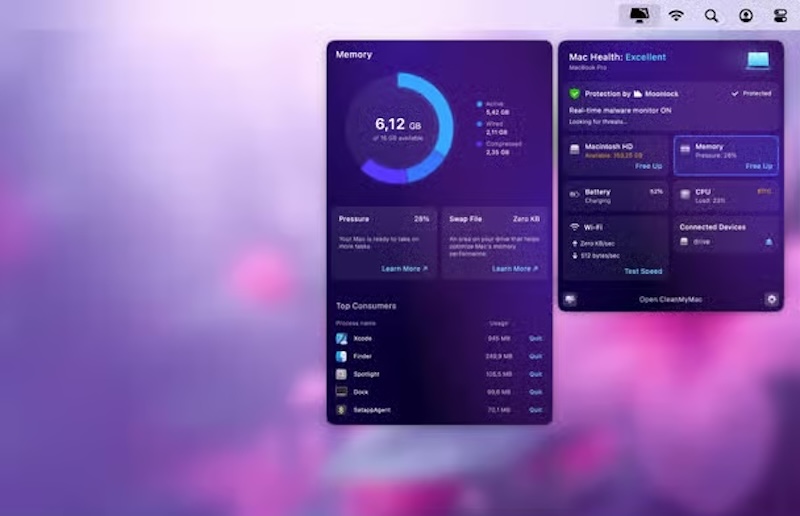
For teams using Apple hardware, tested and tried ways to measure Mac performance can establish that baseline through built-in diagnostics and third-party benchmarking tools.
The same principle applies regardless of the operating system. Whether the development environment runs on macOS, Windows, or Linux, the goal is to understand how the workstation behaves under load before starting computationally intensive robotics development.
Once that baseline is established, it’s easier to determine if a slowdown is caused by changes in the software or limitations in the hardware.
Which Components Have the Greatest Impact on Robotics Simulations?
Different hardware components influence simulation performance to different degrees. The exact workload depends on the simulation platform and the project’s complexity.
Still, most robotics development environments need solid processing power, graphics performance, available memory, and fast storage. Understanding the role of each component will make the benchmark results easier to interpret.
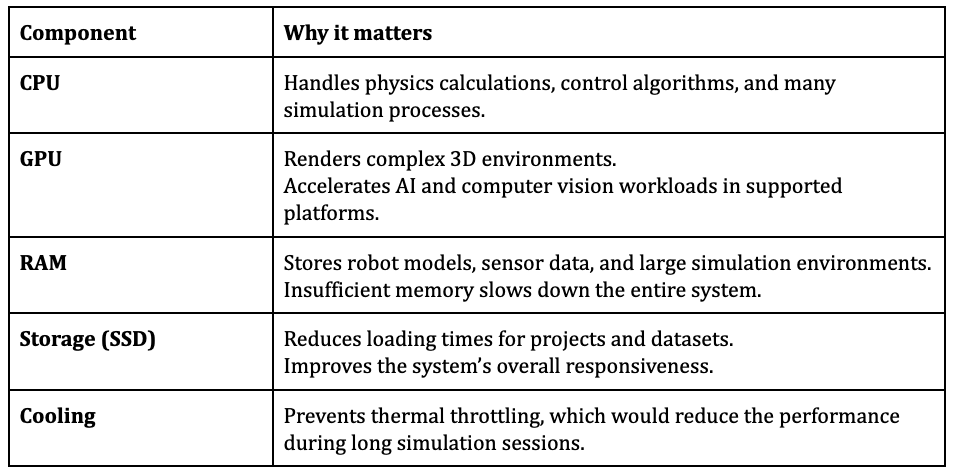
This is the most important thing to remember: the lowest-performing component can determine the overall experience. For example, adding a faster graphics card won’t eliminate slowdowns if the processor is already operating at full capacity or the system regularly runs out of memory.
Always look at the benchmark results as a whole. They will give you an accurate picture of system performance.
How to Benchmark Your Development System
The first thing to do is make sure the workstation is in the same state it will be during the robotics development process:
- Close all apps that won’t run during robotics development
- Connect laptops to power
- Choose the usual performance profile
- Record the system configuration
Next, you can use dedicated performance benchmarking tools to evaluate the CPU, GPU, memory, and storage separately. These synthetic tests can reveal obvious hardware limitations.
However, you shouldn’t see them as the final verdict. You must also test the workstation with software and project types it will handle in practice.
Load a representative model in a simulator, such as:
- RoboDK
- KUKA.Sim
- Visual Components
- DELMIA
- ABB RobotStudio
- Siemens Process Simulate
These platforms can be used to model robot movement, manufacturing cells, collisions, paths, sensors, and other real-life conditions before deployment. Choose a workload similar to the planned robotics simulations, and monitor these aspects during the test:
- Simulation speed and frame rate
- CPU and GPU utilization
- Memory consumption
- Project and asset loading times
- Temperatures and clock speeds
- Performance during an extended run
Run each test more than once, as a single unusually high or low result may not reflect normal performance. Keep the settings identical for each test, and don’t forget to record the results.
How to Interpret Benchmark Results for Improved System Performance
Benchmark results are only useful when they guide practical decisions. The point is not to focus on a single score, but to evaluate if the system can run your typical robotics simulations consistently without excessive resource usage.
This will give you a good baseline for future performance benchmarking. It will be easier to identify changes after software updates, project expansion, or hardware upgrades.
