In today’s data-driven environment, you may spend hours manually scraping data or dealing with preset methods that break as soon as a website updates.
It’s aggravating to hit roadblocks just when you need important information. Learning how to build a web scraper is one of the most effective ways to solve these common problems and save time.
This guide will show you how to create a robust Python web scraper for large-scale tasks. It will get beyond the basics and focus on creating a dependable system that works.
The Reality Check: Why Some Scrapers Will Get Blocked
Websites use advanced defenses to stop automated tools from accessing their data. You will likely face IP rate limits or sudden CAPTCHA challenges that interrupt your workflow. Most beginners start with a free web scraper found online, but these tools often fail under pressure.
It is usually unstable and might even leak your private data to third parties. If you want a long-term solution, it’d be better to learn how to create a Python web scraper that replicates human behavior while avoiding these frequent digital hurdles.
The key to a successful Python web scraper is a reliable rotation of free proxies. This is where the IPcook proxy provides a massive advantage for developers.
As a professional provider, IPcook offers high-quality network resources that ensure your scripts keep running without detection.
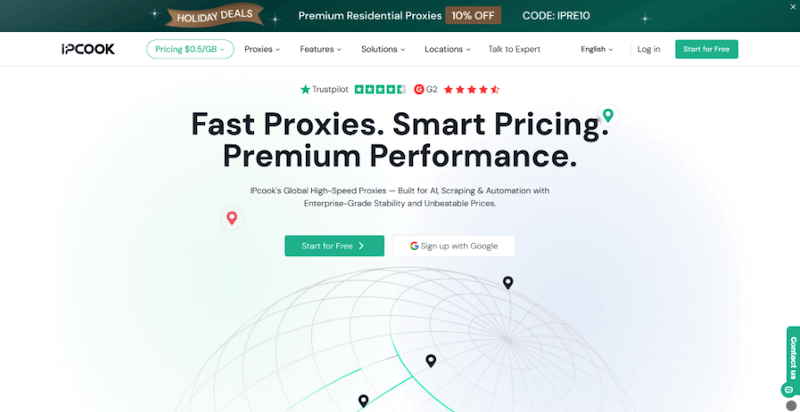
Their service is famous for high-speed and a global pool of exit nodes. You can currently test their premium features with residential proxies for free to see the difference in success rates.
Advantages of IPcook:
- Highly Cost-Effective: After the free trial ends, you can access residential nodes for as low as $0.50 per GB without losing quality.
- Elite Anonymity Level: The proxies help mask your real IP address and reduce identifiable request headers.
- Global Location Coverage: The network includes 55 million IPs across 185 countries to gather region-specific data.
- Massive Thread Support: The technical setup allows 500 concurrent threads to manage the heaviest data tasks at once.
- Permanent Traffic Validity: The purchased data never expires, so you can use your balance at any time in the future.
Step by Step: How to Build a Web Scraper with Python
You have complete control over your data flow when you build your own tool. Writing your own code guarantees long-term success, even though using a pre-made free web scraper could first seem simple.
Python’s extensive library ecosystem makes it the ideal language for this task. Let’s examine the doable actions to launch your project.
Step 1: Setting Up Your Environment and Libraries
Use Python 3.9 or later. It is recommended to create a virtual environment to isolate dependencies. Install the required libraries using pip: requests (for sending HTTP requests) and beautifulsoup4 (for parsing HTML).
After installation, import requests and BeautifulSoup from bs4 in your script. These two libraries are sufficient for scraping most static websites.
Install libraries:
| pip install requests beautifulsoup4 |
Import libraries in your script:
import requests from bs4 import BeautifulSoup |
Step 2: Identifying the Target and Analyzing the Structure
For a concrete and runnable example, use a public testing site designed for scraping practice: http://books.toscrape.com. After inspecting the structure with Developer Tools, we can write the following extraction logic:
url = "http://books.toscrape.com/"

response = requests.get(url)
soup = BeautifulSoup(response.text, "html.parser")

books = soup.select("article.product_pod")

for book in books:
    title = book.h3.a["title"]
    price = book.select_one("p.price_color").text
    print(f"{title} | {price}")
|
Step 3: Integrating Proxies for Stealth
To reduce detection risk and prevent IP blocking, the scraper routes traffic through an IPcook free residential proxy. The following script verifies the proxy IP and then scrapes book titles and prices from the target website. The proxy configuration strictly follows the original IPcook structure.
# IPcook free residential proxy credentials
username = "your_ipcook_username"
password = "your_ipcook_password"
host = "proxy.ipcook.com"
port = "8000"

def get_ip():
    proxy = f'https://{username}:{password}@{host}:{port}'
    url_ip = 'https://ipv4.icanhazip.com'

    try:
        response = requests.get(url_ip, proxies={'https': proxy})
        response.raise_for_status()
        return response.text.strip()

    except requests.exceptions.RequestException as e:
        return f'Error: {str(e)}'

print("Current Proxy IP:", get_ip())

proxy = f'https://{username}:{password}@{host}:{port}'
|
Step 4: Implementing Graceful Error Handling
To make your scraper more reliable, use a try-except block to catch network errors.
RequestException covers most request-related failures, and raise_for_status() detects HTTP errors.
Here is how you can apply error handling in your Python web scraper:
try:
    response = requests.get(
        url,
        proxies={'https': proxy},
        timeout=10
    )
    response.raise_for_status()

    soup = BeautifulSoup(response.text, "html.parser")
    books = soup.select("article.product_pod")

    for book in books:
        title = book.h3.a["title"]
        price = book.select_one("p.price_color").text
        print(f"{title} | {price}")

except requests.exceptions.Timeout:
    print("Request timed out.")

except requests.exceptions.ConnectionError:
    print("Connection error occurred.")

except requests.exceptions.RequestException as e:
    print(f"Request failed: {e}")
|
The final complete code:
import requests
from bs4 import BeautifulSoup

url = "http://books.toscrape.com/"

response = requests.get(url)
soup = BeautifulSoup(response.text, "html.parser")

books = soup.select("article.product_pod")

for book in books:
    title = book.h3.a["title"]
    price = book.select_one("p.price_color").text
    print(f"{title} | {price}")

# IPcook free residential proxy credentials
username = "your_ipcook_username"
password = "your_ipcook_password"
host = "proxy.ipcook.com"
port = "8000"

def get_ip():
    proxy = f'https://{username}:{password}@{host}:{port}'
    url_ip = 'https://ipv4.icanhazip.com'

    try:
        response = requests.get(url_ip, proxies={'https': proxy})
        response.raise_for_status()
        return response.text.strip()

    except requests.exceptions.RequestException as e:
        return f'Error: {str(e)}'

print("Current Proxy IP:", get_ip())

proxy = f'https://{username}:{password}@{host}:{port}'

try:
    response = requests.get(
        url,
        proxies={'https': proxy},
        timeout=10
    )
    response.raise_for_status()

    soup = BeautifulSoup(response.text, "html.parser")
    books = soup.select("article.product_pod")

    for book in books:
        title = book.h3.a["title"]
        price = book.select_one("p.price_color").text
        print(f"{title} | {price}")

except requests.exceptions.Timeout:
    print("Request timed out.")

except requests.exceptions.ConnectionError:
    print("Connection error occurred.")

except requests.exceptions.RequestException as e:
    print(f"Request failed: {e}")
|
Common Pitfalls to Avoid When Building Python Web Scrapers
Even experienced developers make mistakes when they first learn how to build a web scraper. Avoiding these common traps will save you from getting banned or losing data. Keep these points in mind for your project:
- Ignoring robots.txt: Always check this file on the target website to ensure your web scraper follows the site’s access rules and stays compliant.
- Hard-coding credentials: Never put your free residential proxy passwords directly in your script. Use environmental variables to keep your sensitive information secure and private.
- Absence of monitoring: You may not be aware when a website begins to restrict your requests if you do not keep track of your success rates.
- Static User-Agents: Using the default Python user-agent header is frowned upon by many servers. To make these strings resemble a real web browser, rotate them.

Final Thoughts
Learning how to build a web scraper is a vital skill that opens up endless possibilities for data analysis and automation. Python provides the logic for your scripts, but the right infrastructure keeps it stable and functional.
For consistent results, you need a partner like IPcook to provide high-speed, stable connections. By combining clean code with expert proxy services, you can change the way you collect data from the web and concentrate on what really matters: your data insights.
