
Video content isn’t optional anymore. Whether you’re launching a product, growing a brand, or trying to stand out on social media, motion graphics have become the fastest way to grab attention and hold it.
The problem? Traditional motion graphics production is expensive and slow. Hiring a freelancer or agency can cost thousands per video. Learning After Effects takes months. And even if you have the skills, manually keyframing animations eats hours you could spend building your actual product or business.
AI is changing that equation fast. A growing number of tools now let you turn a text prompt, script, or blog post into polished animated video without touching a timeline or hunting for stock footage.
But they’re not all built the same. Some generate raw video clips you still need to edit. Others produce full, publish-ready motion graphics with voiceover, transitions, and brand assets baked in. Knowing the difference saves you time and frustration.
Here’s a breakdown of the best ai motion graphics generators that are actually delivering results right now.
1. Agent Opus: The Complete Text to Motion Graphics Pipeline
Most AI video tools handle one piece of the puzzle. Agent Opus handles all of it.
Paste in a prompt, script, outline, or even a blog URL, and Agent Opus breaks your content into logical scenes. It sources relevant visuals, applies motion graphics treatments like zooms, pans, and animated overlays, adds voiceover, selects background music, and delivers a finished video ready to publish.
No timeline editing. No stock footage hunting. No design skills required.
What sets it apart is how it handles the full production pipeline in one step. The AI analyzes your narrative structure, identifies key moments that need visual emphasis, and assembles everything with proper depth, parallax, and timing.
Multiple visual elements can appear simultaneously with layered compositing, something that would take serious After Effects work to pull off manually.
You can upload brand assets like logos and product images, and the system incorporates them at contextually appropriate moments. It also maintains visual consistency across scenes, keeping color schemes, animation styles, and graphic treatments cohesive from start to finish.
- Key Highlights: Generates complete motion graphics videos from text in seconds. Supports short-form social content (15 to 60 seconds) and longer explainers (2 to 3 minutes). Includes AI voiceover with voice cloning, AI avatars, and automatic music selection. Exports optimized for TikTok, Instagram Reels, YouTube Shorts, and LinkedIn.
- What it Means for Your Workflow: If you’re a developer, founder, or marketer who needs professional video content but doesn’t have a production budget or design team, Agent Opus eliminates the bottleneck entirely. One prompt produces a ready-to-post video. For teams producing content regularly, it means scaling output without scaling headcount.
- Best For: Creators, marketers, founders, and small teams who need polished motion graphics for product demos, explainers, social content, and promotional campaigns without production overhead. Also ideal for building a consistent visual identity across video content through brand asset integration and voice cloning.
For a deeper look at how Agent Opus compares as an AI motion graphics generator, their workflow page walks through the full process.
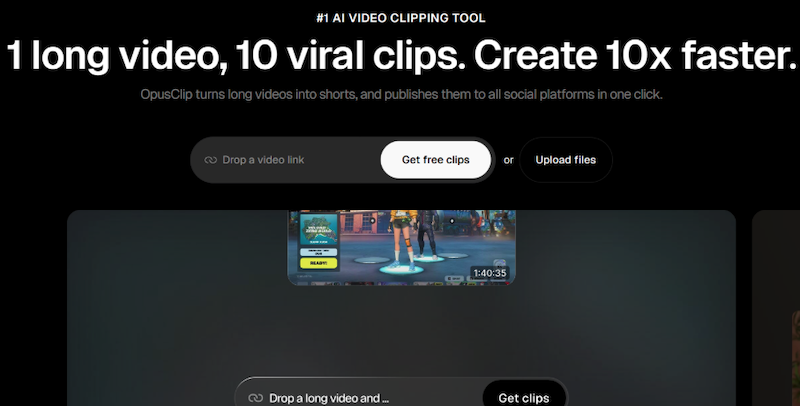
2. Runway: The Creative Powerhouse for Video Professionals
Runway has become a go-to name in generative AI video, and for good reason. It offers a deep toolkit of AI powered features including text-to-video generation, motion tracking, background removal, and stylized visual effects.
Its Gen-3 model produces realistic, consistent video output. The Act-One feature tracks facial expressions for motion capture applications. And real-time collaboration tools make it genuinely useful for teams working on complex projects together.
The runway isn’t built specifically for motion graphics, though. It’s more of a generative video of a Swiss army knife. Many designers use its AI-generated clips as building blocks alongside traditional motion graphics workflows, replacing stock footage or live-action shoots with generated content.
- Key highlights: Advanced text-to-video and image-to-video generation. Strong camera control for directing AI-generated scenes. Real-time collaboration for team projects. Integrates with major video editors for post-production workflows.
- What it Means for Your Workflow: Runway shines when you already have a motion graphics pipeline and want AI to accelerate specific parts of it. It’s powerful for generating custom b-roll, creating visual effects, or prototyping ideas quickly before committing to full production.
- Best For: Video professionals, creative directors, and design teams who work in post-production and want AI-powered tools to speed up their existing editing and compositing workflows.
Worth Noting: Runway gives you incredible creative control, but it’s not a one-prompt-to-finished-video solution. You’ll still need editing skills and additional tools to assemble final motion graphics pieces. For teams without that expertise, a more end-to-end tool like Agent Opus may be a better fit.
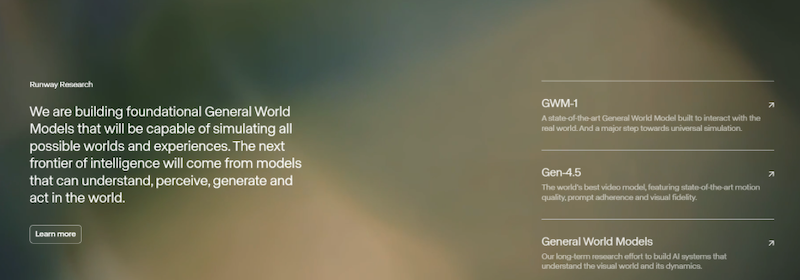
3. Hera: Purpose Built for Motion Graphics Creation
Hera positions itself squarely in the motion graphics lane. No general-purpose video generation here. This tool is built specifically for creating animated content from text prompts.
The platform lets you generate motion graphics, edit and personalize them after generation, and export polished results. Users highlight its chart graphics, map features, and ability to produce on-brand animations quickly as standout capabilities.
Hera understands motion design conventions. It handles kinetic typography, animated data visualizations, and layered compositions with a level of specificity that broader AI video tools often miss.
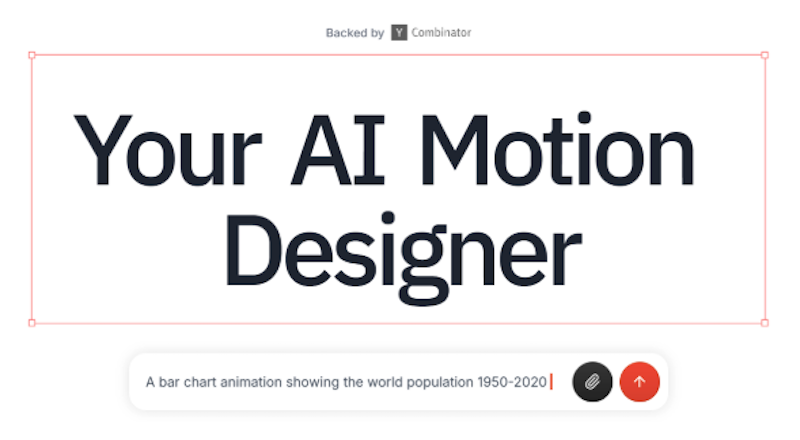
- Key Highlights: Dedicated motion graphics generator with post-generation editing. Strong kinetic typography and animated data visualization capabilities. Produces on-brand content quickly with consistent visual style. Responsive to detailed user prompts for precise creative direction.
- What it Means for Your Workflow: If motion graphics are your primary output and you want more control over the final result, Hera offers a focused toolset. The ability to edit after generation means you’re not locked into whatever the AI produces on the first pass.
- Best For: Content teams and video producers who create motion graphics as their core deliverable and want AI to accelerate the process while maintaining creative control over the final output.
Worth Noting: Hera’s focused approach means it excels at what it does, but it doesn’t offer the broader capabilities you’d find in a platform like Agent Opus, such as AI avatars, voice cloning, or automatic blog-to-video conversion. If you need a full content creation pipeline beyond pure motion graphics, you’ll need additional tools.
4. Jitter: Motion Design Made Accessible for Designers
Jitter takes a different angle entirely. Rather than generating motion graphics from text prompts, it gives designers a familiar canvas-based interface to create animations without learning After Effects.
The platform integrates directly with Figma through a plugin used by over 300,000 designers. Import your designs in one click and start animating. Instead of complex keyframing, you tell your layers what to do through intuitive actions.
Jitter focuses on making motion accessible to every designer, not just motion specialists. It’s a collaborative tool where teams can work together on animation projects, share files via links, and gather feedback in one place.
- Key Highlights: Figma plugin with one-click design import. Intuitive animation without traditional keyframing. Exports as 4K video, GIF, Lottie, and more. Built-in presets for kinetic typography, animated gradients, masks, and custom easings. Team collaboration with shared workspaces and review tools.
- What it Means for Your Workflow: Jitter bridges the gap between static design and motion. If your team already works in Figma and wants to add animation to marketing assets, social posts, or product interfaces without hiring a motion specialist, Jitter makes that transition smooth.
- Best For: UI/UX designers, marketing teams, and web developers who work in Figma and want to animate their existing designs for social content, product demos, ads, and branded video without learning traditional animation software.
Worth Noting: Jitter is a creation tool, not a generation tool. You’re still designing and animating manually, just with a much simpler interface. It doesn’t generate videos from text prompts the way Agent Opus or Hera do. If you want AI to handle the creative heavy lifting, Jitter won’t fill that role.
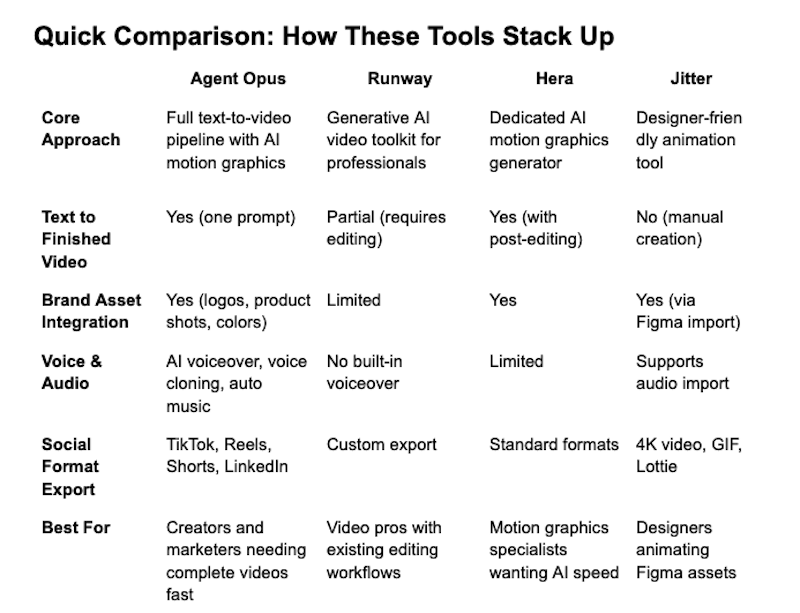
Picking the Right Tool for Your Needs
The right choice depends on where you are and what you’re building.
If you need complete, publish-ready motion graphics from a single prompt with no editing required, Agent Opus delivers the most comprehensive pipeline available. It handles everything from scene assembly to voiceover to platform-optimized export.
If you’re a video professional who already works in post-production and wants AI to supercharge specific tasks, Runway offers the deepest creative toolkit.
If motion graphics are your core output and you want AI assistance with post-generation control, Hera provides a focused, purpose-built solution.
And if you’re a designer who works in Figma and wants to bring static designs to life without learning After Effects, Jitter makes that transition painless.
Many teams find that combining tools works best. An end-to-end generator for rapid content production, paired with a specialized tool for specific creative needs, gives you both speed and flexibility.
Why This Matters for Developers and Creators
Motion graphics aren’t just a marketing nice-to-have anymore. They’re how products get noticed, how brands build recognition, and how content earns engagement across every platform.
The barrier used to be skill, time, and budget. AI motion graphics generators have removed all three. What once required a team of animators, voiceover artists, and editors working for days now happens in seconds from a single text input.
Agent Opus leads that shift by handling the complete pipeline. Runway, Hera, and Jitter each bring real strengths to specific parts of the workflow.
The tools exist. The quality is there. The only question left is which one fits how you work.
