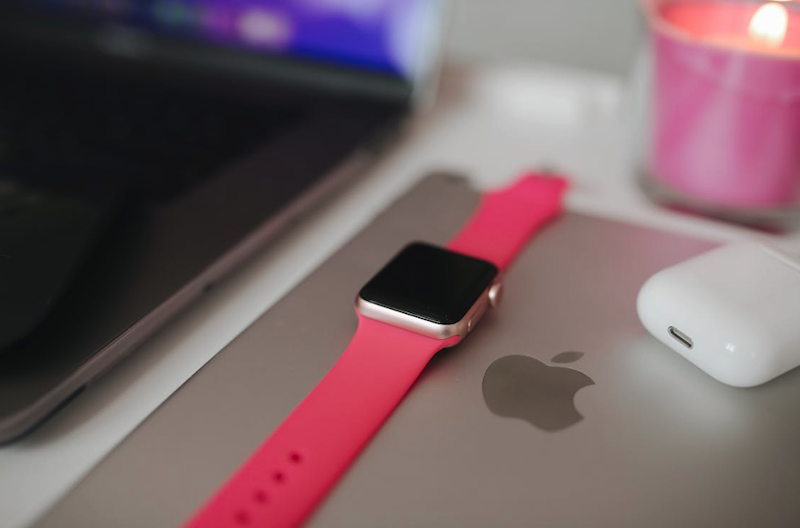
The Apple Watch began as a notification mirror, but it behaves more like an automation layer that keeps you out of the “phone distraction trap.”
Most digital stress isn’t caused by big tasks – it’s caused by tiny interruptions that repeat all day. The watch’s best trick is making those interruptions shorter and rarer.
A wearable only earns space on your body when it’s fast, private, and predictable. Through watchOS 26, stronger health insights like Sleep Score and hypertension notifications, and intelligence features that borrow Apple Intelligence from your iPhone, the Watch is aimed at one outcome: reducing friction in the moment.
From Wrist Notifications to Context-Driven Actions
The Apple Watch used to tell you what happened – now it tries to help you do what’s next. That is the difference between a wearable accessory and a personal automation device. In watchOS 26, features like Smart Stack prompts and new gestures make actions feel immediate instead of menu-driven. The best part is not novelty – it’s the seconds you get back.
Why the Wrist Beats the Phone for Automation
Your phone invites wandering, even when your intention is simple, and the watch’s narrow interface limits detours, which makes it a better place to execute quick decisions. Pay, start a workout, acknowledge a reminder, send a short reply – then you’re done before distraction gets a vote.
Smart Stack and Timely Prompts as a Quiet Command Center
Smart Stack is useful when it behaves like a routine-aware assistant, not a random carousel. In watchOS 26, it can surface gentle prompts when something is immediately relevant, so you stop hunting for apps. Over a week, those “one glance” moments add up to real time saved.
Gestures Like Wrist Flick And Double Tap Reduce Friction
Automation fails if input feels fussy, even while you’re moving. Gesture controls like double-tap and Wrist Flick are built for one-handed, real-world use. When a gesture is reliable, “later” turns into “done.”
Health Sensors That Trigger Better Decisions
Health is where Apple’s wearable automation becomes serious. Instead of obsessing over single readings, the Watch now leans into trends and summaries you can act on. Sleep Score and hypertension notifications push you toward earlier, calmer decisions rather than late, panicked ones.
Sleep Score Turns Recovery into a Simple Choice
Sleep Score compresses a night into a daily quality signal that’s hard to rationalize away. If your score slides for a few nights, you can adjust training, protect bedtime, or choose a lighter day without guessing. And for a more comfy feel, buy apple watch bands series 9 with breathable, skin-friendly materials that make overnight tracking realistic.
Hypertension Notifications and a Reality Check Over Time
Hypertension notifications don’t pretend to be a blood pressure cuff – they look for patterns that may suggest chronic high blood pressure and prompt you to confirm with a clinician. Apple also sets firm limits: the feature isn’t intended for people under 22, those already diagnosed with hypertension, or during pregnancy.
Privacy is Not a Setting – it’s the Product
A watch that automates around health has to earn consent every day you wear it. Your Apple Watch collects sensitive signals, and modern software can infer more than you expect. Keep what you’ll use, disable what you won’t, and review sharing permissions like you would a bank app.
Apple Intelligence on the Watch: Micro-Coaching, Not Magic
The watch is too small for AI theatrics, so the useful approach is subtle assistance. Apple’s intelligence features often rely on Apple Intelligence on a supported iPhone nearby, with the watch acting as the quick interface. Your wrist becomes the control surface for smarter systems.
Workout Buddy Turns Intent into Adherence
Workout Buddy moves the Watch from tracking to coaching. It can use your workout data and history to deliver spoken cues during a session, when you can still change behavior. If you’re building consistency, that timing matters more than any after-the-fact summary.
Smarter Communication Without the Attention Tax
Communication is where most people lose time without noticing. On the Apple Watch, quick actions and smarter suggestions help you respond to what matters and ignore what doesn’t. Features like Live Translation, powered through Apple Intelligence, can also help when you need quick understanding on the move.
The Risk of Coaching That Becomes Noise
Even good insights turn toxic when they arrive too often. If your wrist becomes a constant commentator, automation turns into background stress. The fix is restraint: fewer alerts, clearer thresholds, and ruthless pruning of anything you don’t act on.
Connectivity and Safety Automations When Things Go Wrong
A smartwatch becomes a real automation device when it can act without your phone. Apple is pushing that direction with faster cellular, better battery life, and safety features designed for emergencies, not demos.
Apple Watch Series 11 adds faster 5G on cellular models, making phone-free moments more realistic. Apple Watch Ultra 3 goes further, adding Emergency SOS via satellite when cellular and Wi-Fi disappear.
Emergency SOS Via Satellite on Apple Watch Ultra 3
Satellite emergency features change the stakes for off-grid days. On Apple Watch Ultra 3, Emergency SOS via satellite can help you text emergency services and share your location when networks fail. The interaction is intentionally simple because stress is not a good UI state.
5G Makes Phone-Free Hours Practical
Faster cellular isn’t glamorous, but it makes standalone workflows feel normal. When messaging, streaming, and maps are reliable, you stop treating the watch as a backup and start treating it as “enough.” That’s when your phone can stay in a bag – or at home – without raising anxiety.
Uptime is the Metric That Predicts Everything Else
Automation collapses when your device is dead, uncomfortable, or charging on a desk. Longer battery life makes overnight wear realistic, which improves sleep trends and health context. Durability and faster charging matter for the same reason: they keep the watch on your wrist where it can actually help.
How to Build a Personal Automation Stack on Your Wrist
The most effective Apple Watch automation is simple, specific, and repeatable. You get value by removing repeated decisions, not by stacking features. Start with the moments that reliably create friction – commutes, workouts, meetings, sleep – and automate those first. If an “automation” needs frequent tweaking, it’s not helping you – it’s demanding you.
Shortcuts That Actually Save Time
Shortcuts are the most direct way to turn your Apple Watch into a personal automation device. Choose workflows that finish in one tap: start a Focus mode, text a preset update, begin navigation, log water, and launch your go-to workout. If a shortcut asks you to choose from long menus, it belongs on your phone, not your wrist.
Notification Hygiene is Automation By Subtraction
Most smartwatch frustration comes from mirroring your phone’s noise. Turn off anything that doesn’t require action and keep alerts that change what you do next. Limit message notifications to a small list of people, and let everything else wait.
Choose The Watch You’ll Actually Wear
Automation improves with continuity, so the right model is the one you can keep on. If you want real independence, prioritize cellular – if you want maximum safety off-grid, Ultra 3’s satellite emergency support is hard to ignore. And if you’re under 22, remember that certain health features, like hypertension notifications, are not intended for your age group.
Conclusion
The Apple Watch is evolving from a wearable screen into an on-wrist automation layer. WatchOS 26 pushes that trend with smarter Smart Stack prompts, gesture-first control, and coaching features like Workout Buddy that influence behavior while you’re still moving. The biggest upgrade is invisible – fewer times you reach for your phone.
The Watch can’t protect your attention unless you let it. If every app buzzes your wrist, automation becomes irritating. If you curate prompts, keep Shortcuts lean, and treat health insights as decision support, the Watch becomes rare in consumer tech – quiet help that scales with your habits.
Main image by Melike B on Pexels
