American employees now spend about 26% of their paid workdays working from home. That share has held roughly steady since 2024, according to Entrepreneur’s report on a national WFH Research survey.
For HR leaders, that means planning around uncertainty: on any given day, you can’t predict who will come in or which desks and rooms they’ll need.
Desk and room booking software shows your people where to sit and when a meeting room is free. It reveals how people use the space day to day. This guide covers why hybrid teams need it and how the right platform makes your office worth the trip.
Why hybrid teams need desk and room booking software
Hybrid schedules rarely line up. Employers now call three days a week the office sweet spot, yet only 14% of employees agree, reports a 2025 TriNet State of the Workplace survey.
That disconnect between employer expectations and employee turnout means attendance swings from Monday to Thursday and week to week. Assigned desks sit empty half the time, and teams that do come in can struggle to find an open room.
Booking software fixes that mismatch. Employees reserve a desk or room ahead of time, so every trip has a place to land.
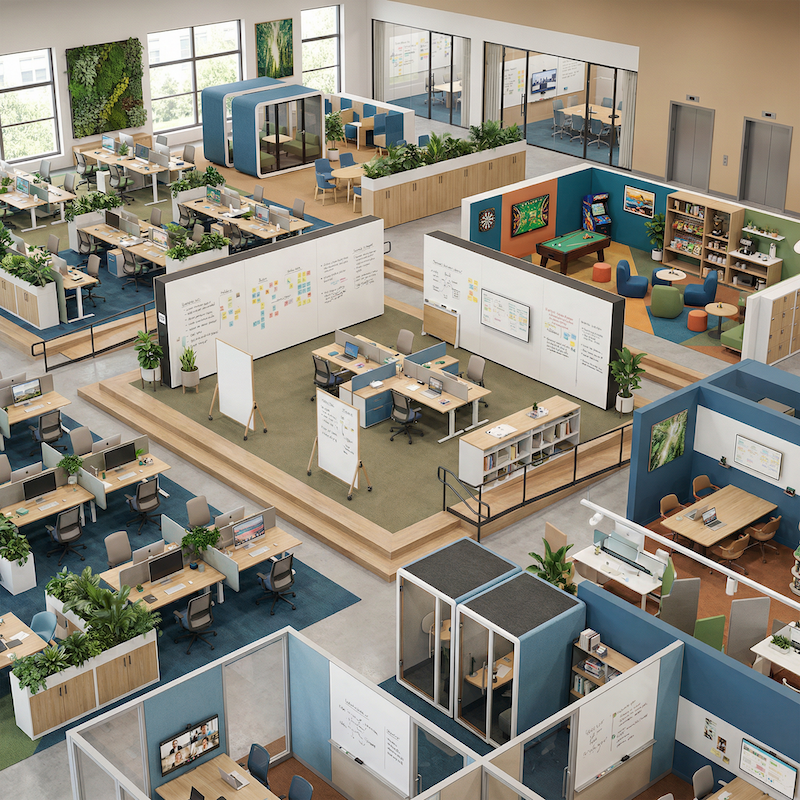
Half your attendees may be remote, so a booked room needs a screen and a camera as much as it needs seating. Booking software lets people filter for rooms that fit a hybrid call and reserve one before they walk over. No more circling the floor with a laptop, hunting for a free space.
Companies are redesigning workplaces for connection and focus, and fast-scaling automation and tech teams are among those weighing whether to transform the office they already have rather than relocate, so the commute rewards people with something home can’t offer.
Booking data makes that design practical. When you can see which teams come in together, you can group their desks and reserve collaboration rooms nearby.
Give people a reliable seat and a room that works, and the commute becomes worth making. That reliability turns a hybrid policy on paper into an office that runs day to day.
What to look for in desk and room booking software
Office space is expensive, and it’s harder to justify holding onto more of it than you need. Office space demand in major cities could fall 13% by 2030, putting roughly $800 billion in real estate value at stake, according to McKinsey’s The Future of the Office report, cited in a 2025 Forbes analysis. The drop makes every square foot worth tracking, as it could help you reduce overhead even more.
Software that shows how your space is really used helps you pay for the right amount of it. The best platforms make booking so simple that people actually use them, which is where the data comes from.
A few features separate the platforms worth your shortlist. Look for these capabilities when you compare platforms:
- Show real-time availability: Employees see open desks and rooms live, then book in seconds from a phone or laptop.
- Combine desks and rooms: One system handles both, so people plan a whole day in place rather than juggling tools.
- Report on real usage: Dashboards reveal which floors, desks, and rooms earn their keep and which sit idle.
- Connect to your stack: Native ties to calendars, directories, and messaging keep booking inside tools employees already open.
- Guide people to desks: Wayfinding and floor maps help visitors and hybrid staff find their booked desk fast.
The biggest choice is whether the platform does one job well or runs the whole workplace. A point tool books desks and rooms and stops there.
For example, OfficeSpace Software pairs desk and room booking with space planning and analytics in one platform. Its comparison page weighs that one-platform approach against a standalone booking tool.
Price and setup matter too, but they follow from fit. When a tool matches how your people work, they use it, and that adoption pays for itself in reclaimed space. Weigh the shortlist against your real estate footprint, your meeting culture, and the systems your teams already live in.
How booking software supports a productive, purpose-driven office
Good booking data does more than fill seats. It tells you what your office is for. When you can see that Tuesdays draw full project teams and Fridays draw solo focus work, you can shape the floor around real habits.
That idea sits at the heart of productive workplace design, where the layout matches how people actually work. It is also why automation-industry teams increasingly lean on digital tools for managing a hybrid workforce to keep hybrid schedules and shared space running smoothly.
That insight pays off in several ways. You right-size the portfolio by shedding space that never fills. The office gains the settings people ask for, like quiet rooms and small huddle spaces. Facilities and HR share one view of demand, so planning stops being guesswork.
Picture a 300-person office that feels packed on Wednesdays and hollow on Fridays. Booking data confirms the pattern in a week. You can trim a floor and consolidate Friday visitors into one lively wing. The building shrinks, and the days people do come in feel busier and more useful.
That shared demand data changes the HR conversation too, replacing abstract debates about attendance policy with numbers everyone can see.
You can show leaders which teams thrive in person and which do fine remotely, then write policies that match. Those numbers turn space planning from a turf fight into a shared, visible decision.
Make hybrid work in your office
With a quarter of the workweek now spent at home, hybrid work is here to stay. The office has to prove its worth every single day. Desk and room booking software is how you make that case.
It turns an unpredictable floor into a place where people always have somewhere to land, and it hands you the data to keep improving.
Map how your teams already move through the week. Then choose a platform that books the space and helps you plan it.
The right one grows with you, from a single floor to a global portfolio. Do that, and your office stops being a fixed cost and becomes a place your team wants to be.
